
Here at Xbox, we see technology as an advantage for families today. It can be a positive force in the home and classroom, in personal growth, and in helping families and friends spend quality time together. We also know that it’s important that children learn how to build a healthy relationship with technology. We’re committed to making gaming a positive and inclusive form of entertainment, and with that goal in mind, family settings on Xbox ensures that gaming can be a rewarding experience for every member of the family. Over the years, we have continued to innovate family settings on Xbox to be as unique as families are today and support their needs.
So how can parents take advantage of everything family settings on Xbox has to offer? First off, parents will need to set up a child account at account.microsoft.com and link it to their Microsoft account. Once that’s done, parents have access to more than 15 comprehensive and customizable tools to manage their child’s account across four key categories: screen time management, purchase limits, content filters, and privacy. Let’s take a closer look:
- Screen time management: Parents can set time limits and view activity reports to keep on top of their children’s activity. Limits can be set for each day of the week, meaning parents can restrict gaming on school nights or allow more time over the weekend.
- Purchase limits: Parents can choose to approve children’s purchases before they are made, to receive alerts after each purchase, or to set up an allowance to limit purchases children can make on their own.
- Content filters: Parents can filter or allow games, apps and websites based on the age of their children to ensure they are interacting with age-appropriate content. Children can also request access to content which parents can then approve or decline.
- Privacy: Parents can set what people see about their child’s online profile, status and gaming history and who they can communicate with online. This is especially valuable with the increasing popularity of multiplayer games where users can interact with other players around the world. These settings can be managed via the parent’s Microsoft account at xbox.com/Settings.
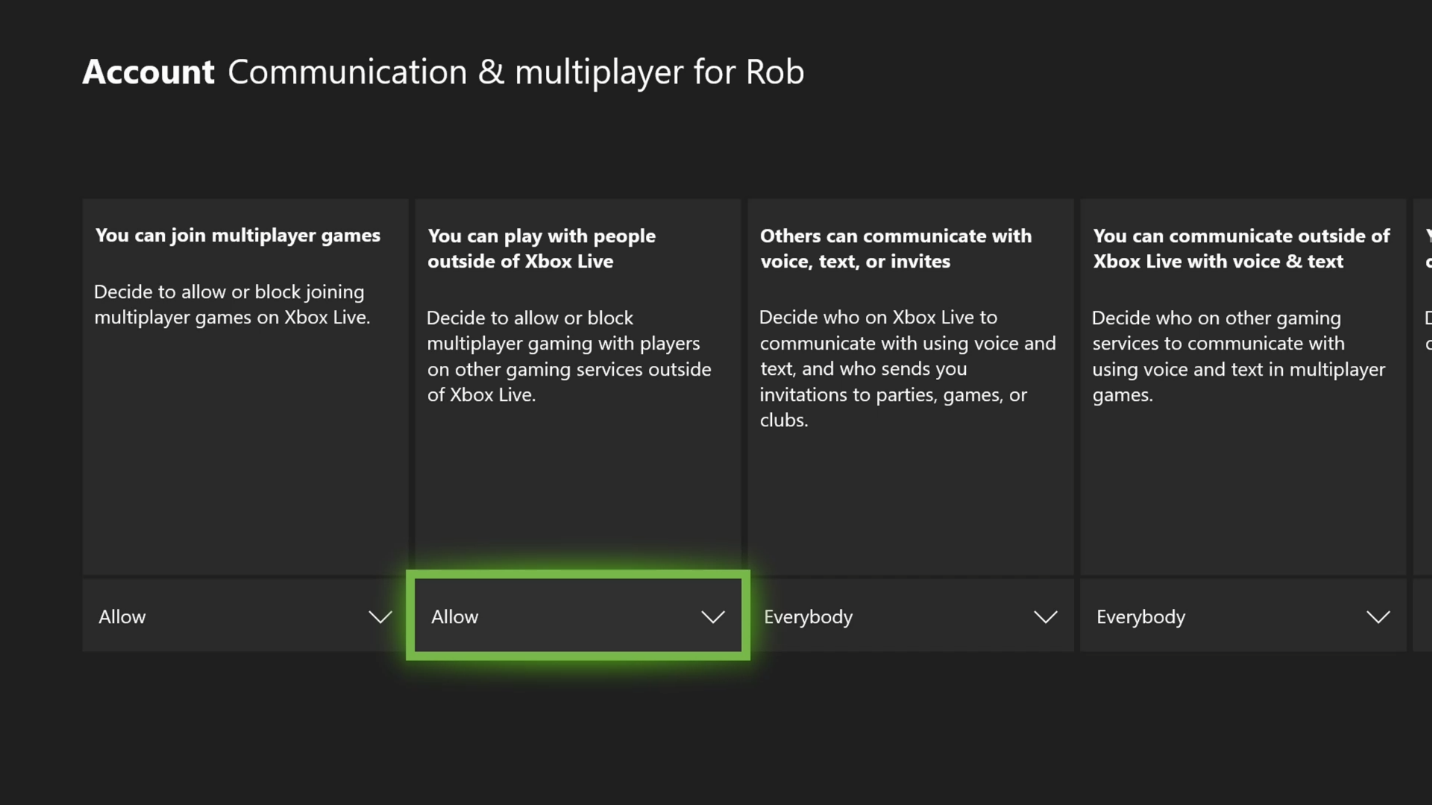
We’ve also heard feedback and questions from parents whose kids enjoy playing cross-network enabled games. Available today, Fortnite is the first game to feature our new cross-play settings, which provides parents and caregivers with more choice in managing cross-network scenarios for their children who play on Xbox. This includes two new settings parents can turn on or off, which empowers them to allow or block both cross-network play and cross-network communication, on their child’s account. As with the rest of the family settings, these can be changed in the parent’s Microsoft account. We expect other cross-network enabled games will be updated in the future to include these settings and offer more choice for parents.
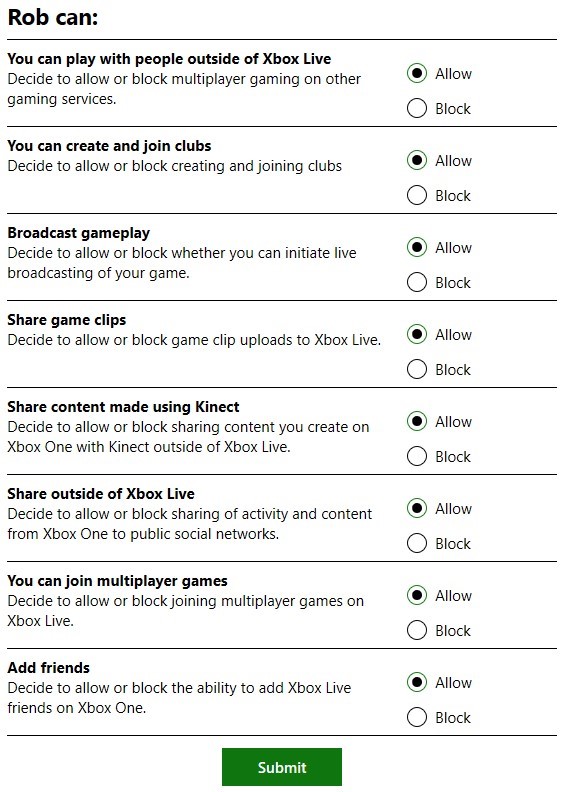
Of course, ensuring families have fun isn’t solely the domain of parents. To that end, we also empower kids to play an active role in learning healthy digital habits. Our family settings features include an activity report that kids can view so they are aware of their own gaming habits and, with screen time limits, kids can request extensions to their time on the console or PC, which parents can approve or decline. Kids can also use the Ask a parent feature to request permission to make app or game purchases in the Microsoft and Xbox stores, as well as request access to websites, apps or games. We feel that when kids are a part of this process, it provides a collaborative and fun gaming experience for everyone.
At the end of the day, communication is the most important tool parents can employ to ensure their family has a fun and positive gaming experience. We encourage parents to have an ongoing dialogue with their children about healthy technology habits and customize their family settings to fit their unique passion for gaming. If you’d like to learn more about our industry-leading Microsoft family settings and features, visit Xbox.com/family.